Your program, without chasing anyone
Every caseload on one page, the problems found while they are still cheap to fix, and clinicians who walk into IEP meetings with evidence.
Does this sound like your week?
Finding out means emailing everyone
To know how caseloads are going, you ask twelve people and wait. The first you hear of a problem is usually a late report.
Meetings get hard without evidence
A family wants to see progress, and what you have is a description written from memory the night before.
You cannot see whether services happened
IEPs promise minutes. When a principal asks why a student’s services slipped, the answer is somewhere in someone’s calendar.
Someone always leaves in March
Then a whole caseload needs covering by Monday, one handover and one family approval at a time.
How it works
Real screens from our demonstration district. The students are invented; nothing else is.
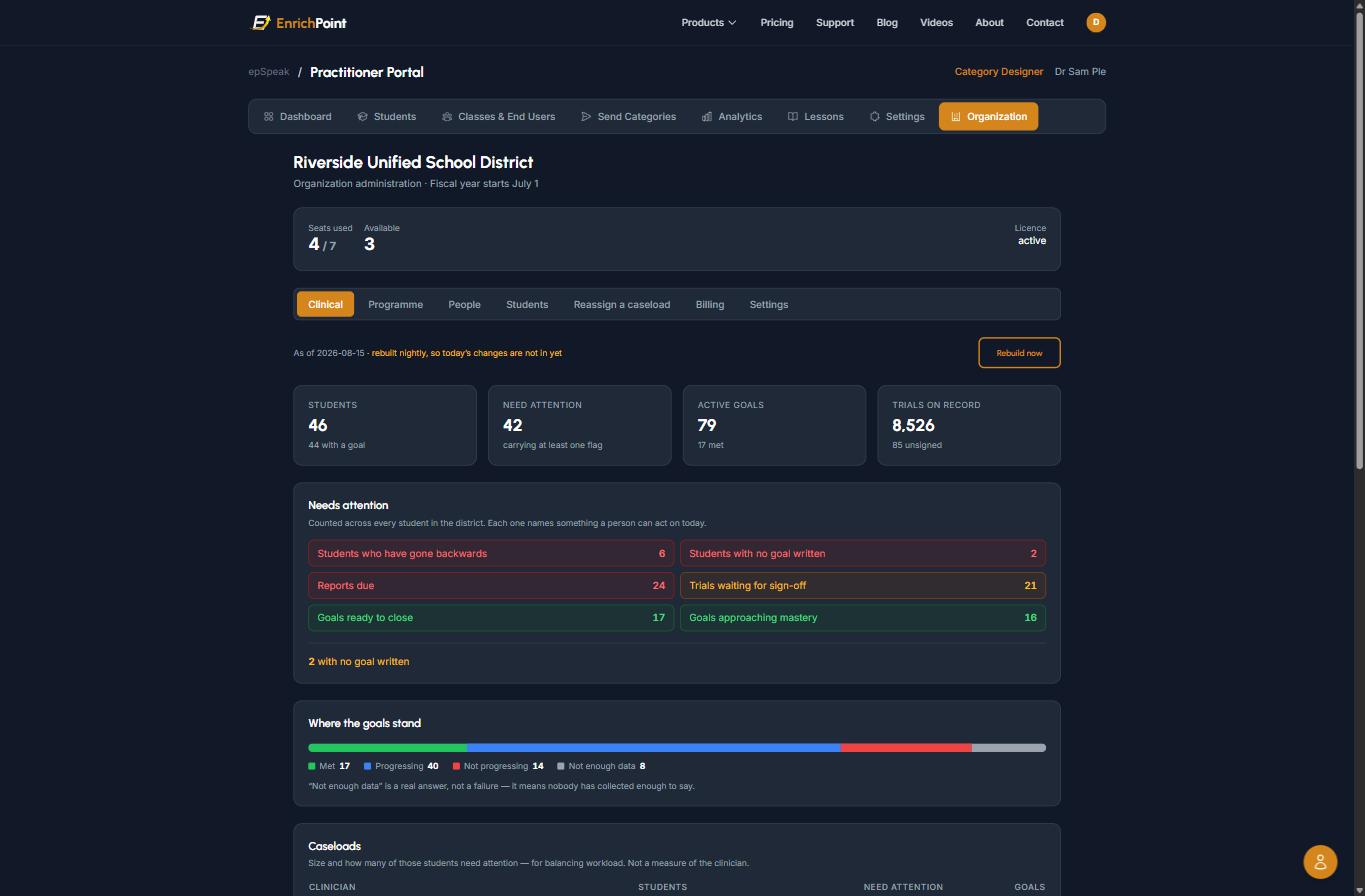
Monday morning: a work list, not a dashboard
Every clinician’s caseload in one place. Students who have gone backwards, students with no goal written, reports due, trials waiting for sign-off, devices not being used, and goals without enough data to defend. Plus the good news: goals ready to close and goals approaching mastery.
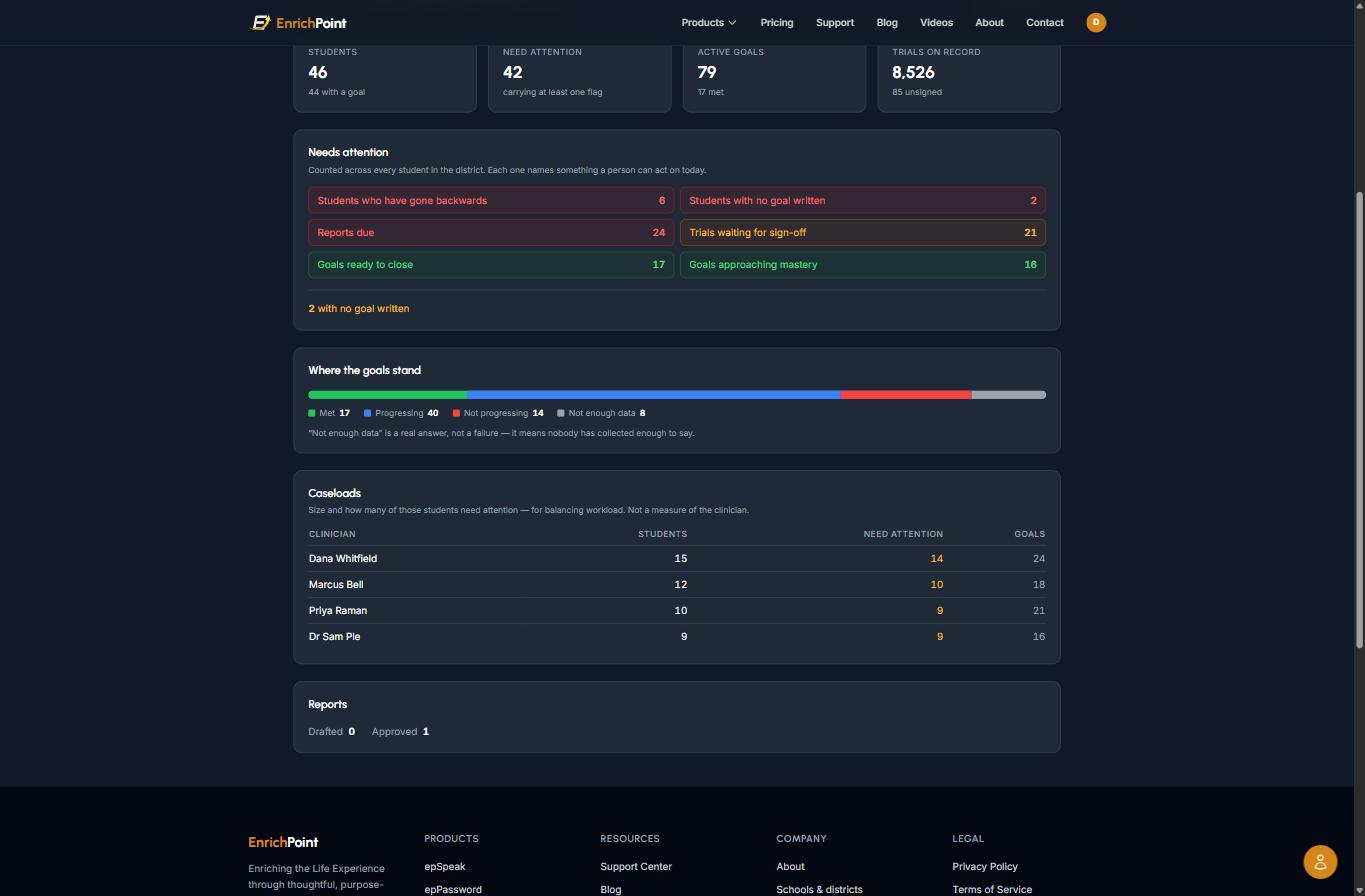
Who is carrying how much
Students, those needing attention and goals, per clinician, with a note when one caseload is carrying noticeably more and roughly how many students would even it out. It is workload, not performance. It will never rank your clinicians.
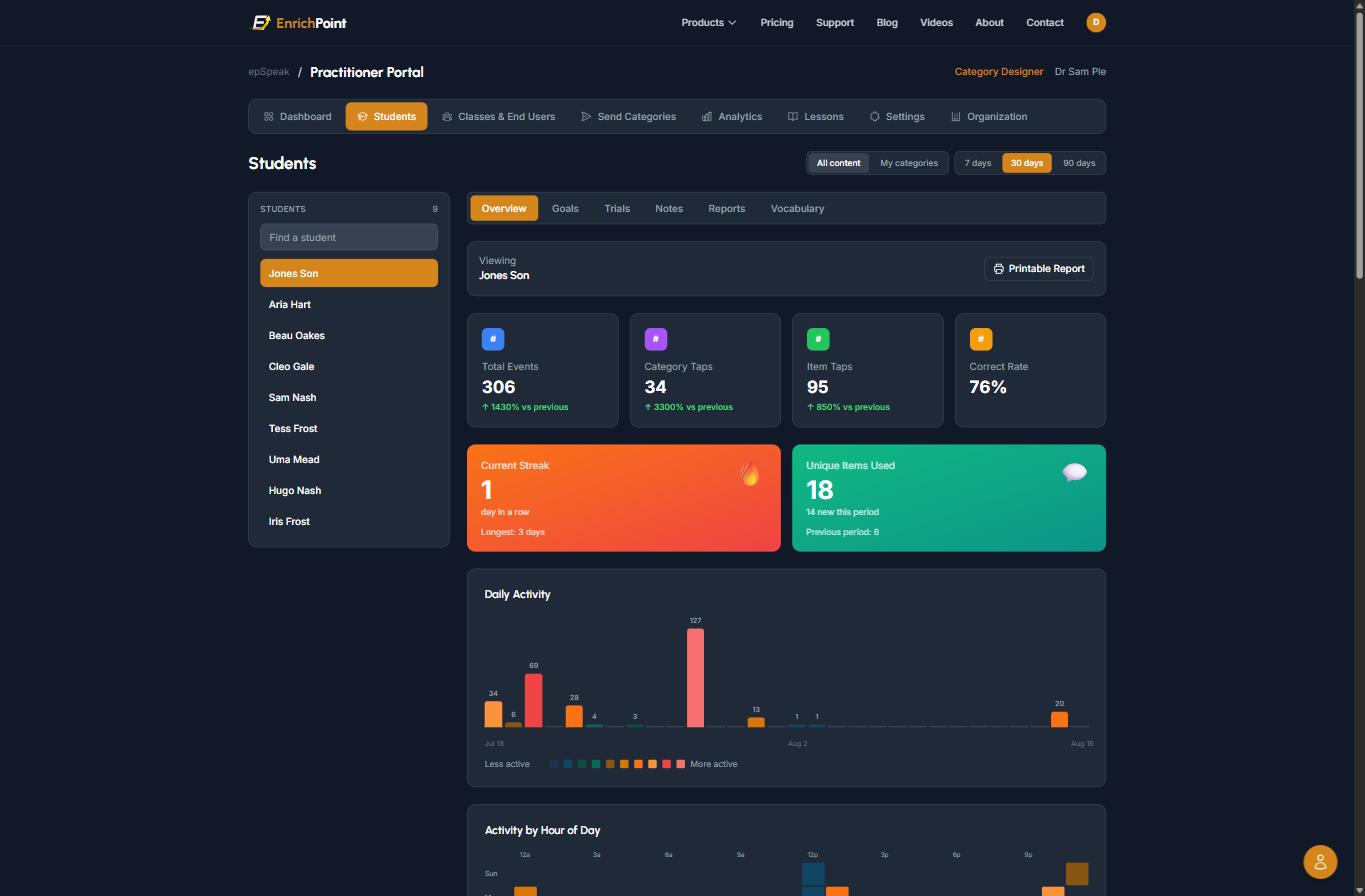
Evidence your clinicians did not have to type
A student’s own device records their communication. When it matches a goal, it is proposed as a trial, and the clinician confirms it and says what support was given. Progress reports draft from those confirmed trials, and a printable evidence pack goes into the annual review, naming any goal that does not yet have enough data.
Services checked against the IEP
Where service delivery is switched on, clinicians record each student’s committed minutes and log sessions, whole groups at once. You see committed against delivered, by school, in whole weeks against your own calendar. When an IEP changes, the old commitment is kept with its end date, so you can always say what a child was owed in March.
Covering a caseload in one step
When a clinician leaves, preview exactly which students, lessons and notes would move, then move them to the clinician covering, with the history intact.
Why your clinicians will use it
Passive proposes, clinician confirms
Nothing counts until a clinician confirms it and says what support was given. Their judgement stays in the record.
Their evenings back
Reports draft from confirmed trials. The clinician reviews and signs rather than assembling data by hand.
Not a ranking
Caseload views are about balancing workload. We do not rank clinicians, and we will not build that.
Families stay connected
Clinicians share notes and signed reports with families in the free app, so progress reaches home between meetings.
What it does not do yet
Better you hear it here than halfway through a term.
- It is not Medicaid billing. There are no billing codes or claim exports.
- Service commitments are entered per student. There is no import from your IEP system yet.
- Rosters come in by CSV or a OneRoster file. There is no automatic Clever or ClassLink sync yet.
- There is no principal login. Building-level views are filtered from the district view.
Questions
How is it priced?
Per clinician seat, per year, by quote, never per student. Purchase order, invoice with your PO number, net-30, and terms aligned to your fiscal year. Nothing renews automatically.
My SLPs are overloaded. Will they learn another system?
Start with one. Any clinician can run a free week on a demonstration caseload that is already loaded, so there is nothing to set up. If it adds work, they will tell you within the week.
We already use an AAC app.
Then the question is what happens to its data. If the device’s use does not reach the clinician’s documentation, someone is still typing it up. Trials are proposed from epSpeak, which is free for every student; students on other systems can have trials logged by hand.
Is AI writing clinical documentation?
No. Progress reports are assembled from confirmed trials and signed by the clinician. Clinicians can use AI to draw pictures for vocabulary and draft lesson activities, which they review. AI-generated summaries of student data stay off until the district turns them on.
What paperwork do you provide?
A data processing agreement and a W-9, an MSA for your review, and we complete security questionnaires. We can work from your state’s template if you use one.
Pick one SLP, and let them tell you
Book a demo and we will start with how your program works today. Or have your busiest SLP start a free week, and meet again when they have a verdict.